NOW eSIM – Stay Connected Wherever
Instant eSIM data for 190+ countries. No physical SIM, no contracts, and no roaming fees.
Search your destination (e.g. Japan, USA, France)


Instant
Activation
Global
Coverage
No
Physical SIM
Secure
Payments
eSIM Active
NOW eSIM?
NOW eSIM is a digital SIM made for travelers. Instead of a plastic card, you receive a QR code. Scan it and your phone downloads a data plan for the country or region you are visiting.
Your regular SIM stays where it is, so your number and messaging apps carry on as normal while you browse, stream and navigate on local data.
Plans are prepaid. You choose the data and the number of days before you go, and that price is all you pay.
At a Glance
Get online as soon as you land
Set up your NOW eSIM before your trip and have mobile data the moment your plane lands.
WHEN YOU LAND
Online right after landing
Your NOW eSIM is already installed when you arrive. Turn it on to book a taxi, message your hotel or open maps before you get your bags.
Find your destination
 Japan

 Europe

 Thailand
BEFORE YOU FLY
No SIM card shops or lines
No need to find a SIM card shop at the airport or wait in line. You can set everything up at home before you travel.
See how it works
Your NOW eSIM is ready
QR code sent to your email
eSIM turned on
Mobile data connected

Popular eSIM destinations
Choose your destination and get mobile data as soon as you land. No roaming charges and no SIM card to swap.
From $X.XX

Japan eSIM
X plans · 1–30 days
 From $X.XX

USA eSIM
X plans · 1–30 days
From $X.XX

Thailand eSIM
X plans · 1–30 days
From $X.XX

Europe eSIM
X plans · 1–30 days
 From $X.XX

Türkiye eSIM
X plans · 1–30 days
 From $X.XX

UAE eSIM
X plans · 1–30 days
 From $X.XX

UK eSIM
X plans · 1–30 days
 From $X.XX

Morocco eSIM
X plans · 1–30 days
Regional eSIM plans
Visiting more than one country? One regional NOW eSIM works in every country on your trip, so you only need to set it up once.

Europe
Across Europe

Asia
Across Asia

North America
US, Canada, Mexico

Middle East
Middle East trips

Latin America
Latin America trips

Africa
Across Africa

Oceania
Australia & NZ
Global
Worldwide trips
Get connected in
3 easy stepsSetup only takes a few minutes.
CHOOSE YOUR PLAN
Japan
Choose your plan
Pick a country or regional plan with the data and days you need, then pay securely.
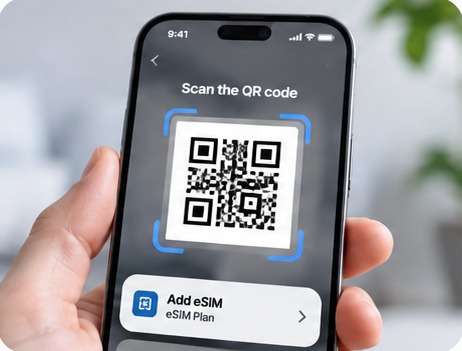
Scan and connect
Scan the QR code we email you to install the eSIM. When you arrive, turn it on and you are connected.
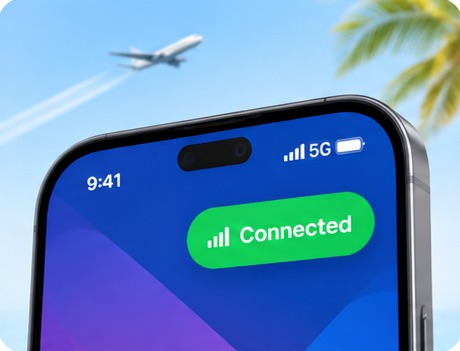
Start using your data
Enjoy fast and reliable internet for your trip. No physical SIM, no roaming fees.
Which phones support eSIM?
Most phones made in the last few years work with NOW eSIM. Here are the main ones.
iPhone
XR, XS and every newer model, including iPhone SE (2nd generation and later)
Samsung Galaxy S
S20 series and newer
Samsung Galaxy Z
Fold and Flip foldables
Samsung Galaxy A
Selected recent models
Google Pixel
Pixel 3 and newer
Other brands
Selected recent Motorola, Xiaomi, OPPO and Huawei phones
iPad
Wi-Fi + Cellular models: iPad Pro (2018+), iPad Air (3rd gen+), iPad (7th gen+) and iPad mini (5th gen+)
Samsung Galaxy Tab
Selected cellular models. Look for “Add eSIM” under Settings > Connections
QUICK CHECK
Not sure? Check your phone
Open your phone app and dial the code below. If you see an EID number, your phone supports eSIM.
Phones locked to a carrier, and some models sold in mainland China, Hong Kong and Macau, do not support eSIM.
NOW eSIM vs. roaming vs. local SIM
Compare the three most common ways to get mobile data abroad.
FEATURE
NOW eSIM
Carrier roaming
Local SIM card
Set up before you travel
Yes
Yes
Buy on arrival
Fixed price, paid upfront
Prepaid
Daily or per-MB fees
Yes
Keep your phone number
Yes
Yes
Dual-SIM phones only
No SIM card to swap
No swap needed
No swap needed
Swap needed
Works in several countries
Regional plans
Depends on carrier
Usually one country
Roaming and local SIM prices depend on your carrier and country. Check your provider's rates before you travel.


Why travelers choose
NOW eSIMSimple, prepaid mobile data for your trip. No contracts and no surprise roaming bills.
Set up before you fly
Buy your plan, install it at home on Wi-Fi and turn it on when you land.
Keep your phone number
Your regular SIM stays in your phone, so WhatsApp and your contacts can still reach you.
Prepaid, no surprise bills
Pay once for your data. No contract, no credit check and nothing extra to pay later.
Plans for any trip length
Pick a plan for a weekend, a week or a whole month.
One plan for many countries
Visiting several countries? A regional plan covers them all with one eSIM.
QR code sent by email
Your eSIM arrives by email right after checkout, with simple setup steps for iPhone and Android.
Frequently asked questions
Answers to common questions about NOW eSIM.
NEED HELP?
Not sure which plan to choose?
Pick your destination and how long you will stay, then choose the plan that fits your trip.
What is NOW eSIM and how does it work?
NOW eSIM is a prepaid travel eSIM. After you buy a plan you receive a QR code. Scanning it adds a digital SIM profile to your phone, which then connects to local mobile networks at your destination for data.
Is my phone compatible with NOW eSIM?
Most iPhones from the XR and XS onward, Samsung Galaxy S20 and newer, and Google Pixel 3 and newer support eSIM. Your phone also needs to be carrier-unlocked. To check, dial *#06#. If an EID number appears, your phone supports eSIM.
When should I install my NOW eSIM?
Install it at home before your trip, while you are on reliable Wi-Fi. Keep the line switched off until you arrive, then turn it on and enable data roaming for it. Each plan's description explains when its validity period starts.
Can I use NOW eSIM and my regular SIM at the same time?
Yes. eSIM phones support two lines at once. Keep your home SIM for calls and texts and set NOW eSIM as your mobile data line. Your home carrier may still charge for calls or texts you make or receive abroad.
How do I install NOW eSIM on an iPhone?
Go to Settings > Mobile Data (or Cellular) > Add eSIM, choose Use QR Code and scan the code from your email. Give the new line a label such as “Travel”, then select it for mobile data when you arrive.
How do I install NOW eSIM on Android?
On Samsung, go to Settings > Connections > SIM manager > Add eSIM. On Google Pixel, go to Settings > Network & internet > SIMs > Add SIM. Scan the QR code and follow the prompts. Menu names vary slightly between brands.
Can I use one NOW eSIM in several countries?
Yes, with a regional or global plan. Single-country plans only work in the country they are sold for.
My NOW eSIM is not connecting. What should I do?
Check that the NOW eSIM line is switched on, selected for mobile data and has data roaming enabled. Then turn Airplane Mode on and off, or restart your phone. If it still won't connect, contact our support team with your order number.
READY TO TRAVEL?
Get your eSIM before you fly
Choose your destination and get your NOW eSIM in just a few minutes.
QR code sent to your email
Plans for one country or a whole region
Keep your regular phone number